

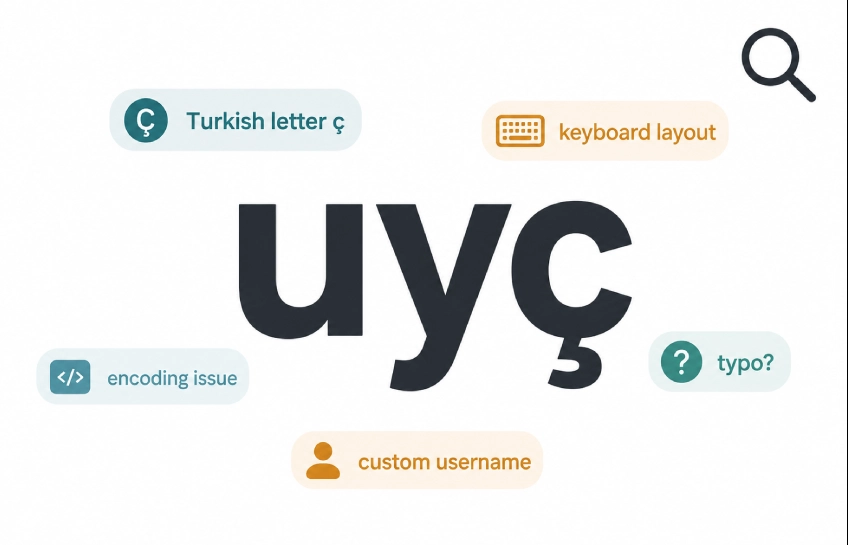
You just saw “uyç” — maybe in a message, a username, a copied document, or somewhere online. And now you’re here because it didn’t make sense. That’s completely fair. It’s one of those short strings that looks like it should mean something but doesn’t immediately give itself away.
This article breaks down what uyç likely is, why it shows up in the first place, and how you can figure out what it means in whatever context you saw it.
Is Uyç a Real Word?
Short answer: not in any widely spoken language as a standard dictionary entry.
“Uyç” doesn’t appear in English, French, Spanish, or most European languages as a recognized word. But that doesn’t mean it’s completely random either. There are a few real reasons it could appear, and understanding those reasons is what actually helps you make sense of it.
The character “ç” (called c-cedilla) is the first clue. That small hook under the letter “c” is used in Turkish, French, Portuguese, Catalan, and Albanian, among others. When you see it in a string like uyç, it strongly suggests either a Turkish-origin text or a character that got pulled from another language’s keyboard layout.
The Turkish Connection
In Turkish, the word uç is very real. It means “tip,” “end,” “edge,” or “extreme point.” You’d use it to describe the tip of a pencil, the far end of a road, or an extreme idea. It’s a short, common word used daily in Turkish conversation and writing.
Now, “uyç” with a “y” added before the ç is not the standard spelling. But here’s where things get interesting: Turkish has several words and verb roots that start with “uy” — for example, uyum (harmony, compatibility), uymak (to fit or comply), and uyku (sleep). It’s not impossible that someone typed “uyç” while trying to write a Turkish word quickly, combining two separate words or making a small spelling error mid-type.
So if you saw “uyç” in a Turkish-language message or document, there’s a good chance it’s either a typo of uç (tip/end) or a partial, mistyped word from a Turkish speaker. You can read more about how the letter ç functions across languages at Omniglot’s guide to the cedilla, which covers its use across multiple writing systems.
Why Else Might You See Uyç?
Beyond Turkish, there are other practical reasons this string pops up.
Keyboard layout switching. This is one of the most common causes of strange strings in text. If someone types on a Turkish keyboard (Q layout) and their keyboard switches mid-sentence, letters can come out wrong. The “ç” key sits right where other letters sit on a standard QWERTY layout, so a layout switch can produce strings like “uyç” without the person even noticing.
Copy-paste from another system. When you copy text from a PDF, a foreign website, or an older document, encoding issues can turn normal text into something that looks garbled. A word that was originally “uç” in a Turkish document might come through as “uyç” depending on how the encoding was handled.
Custom usernames and handles. Some people deliberately use strings with special characters to create unique usernames on social media or gaming platforms. “Uyç” could simply be someone’s chosen username with no deeper meaning at all.
Auto-correct or keyboard suggestion errors. Some phone keyboards, especially when switching between multiple language keyboards, will add or swap characters. A Turkish speaker composing a message quickly might end up with “uyç” when they meant something else entirely.
A Simple System for Understanding Uyç (or Any Strange String)
When you see something like uyç and don’t know what it means, run through this mental process:
Step 1 – Check the language context. What language is the rest of the message or document in? If it’s Turkish, the string is likely a typo of uç or a related word. If it’s English or another language, it’s more likely a keyboard or encoding issue.
Step 2 – Check what’s around it. Is “uyç” in the middle of a sentence, or does it stand alone? A string sitting inside a sentence is probably a typo. A string standing alone as a label, tag, username, or ID is more likely intentional.
Step 3 – Check if it could be a name, ID, or code. Country codes, file identifiers, and usernames often look like random short strings. “UY” is actually the ISO country code for Uruguay. If you’re seeing “uyç” in a tech or data context, it might be part of a code or identifier that got corrupted or displayed incorrectly.
Step 4 – Decide your next step. If it’s in a personal message: ask the sender what they meant. If it’s in a document you received: flag it as a possible encoding error or typo. If it’s a username: treat it as a custom name with no literal meaning. If it’s in a file name: check whether the file opened correctly or if the encoding needs to be reset.
Real Situations Where Uyç Appears
In a chat message: A Turkish-speaking friend sends you a quick message and “uyç” appears mid-sentence. Most likely it’s a fast-typing error for uç (tip or end). You can ask for clarification, or use context to guess.
In a username: You see an account called “uyç_official” or similar. This is almost certainly a deliberate, custom handle. The person picked it because it looked distinct or was available. No hidden meaning needed.
In a copied document: You paste text from a Turkish PDF into Word and some words look broken. “Uyç” appearing here is likely an encoding artifact — the original word had the ç character, but something went wrong in the copy. Check the original source or try re-pasting with a plain text editor first.
In a file name: A file labeled “uyç_report” or similar might have come from a system that uses a different character encoding. On some operating systems, special characters in file names can display oddly when transferred between devices.
Common Mistakes When You See Strings Like Uyç
Assuming it must mean something specific. Not every short string has a fixed global meaning. Plenty of what appears in text online is typos, broken encoding, or custom labels.
Searching for it as if it’s a technical code. Unless you have reason to believe it’s from a specific system, a string like “uyç” is unlikely to be a recognized technical code. Searching it as a code without context will usually return nothing useful.
Ignoring the special character. The “ç” is the most important clue here. If you strip it out and just read “uy,” you lose the context that points toward Turkish or another ç-using language.
Quick Checklist: What to Do When You See Uyç
- What language is the surrounding text in?
- Is the “ç” character suggesting a Turkish or French-language source?
- Is it mid-sentence (likely a typo) or standalone (likely a name or ID)?
- Could it be a keyboard layout or encoding issue?
- Do you need to understand it precisely, or is rough context enough?
- If it matters: ask the source, or check the original document’s encoding settings.
FAQs About Uyç
Is uyç a real word? It’s not a standard word in any widely used language. In Turkish, uç (without the y) is a real word meaning tip or end. “Uyç” is likely a variation, typo, or encoding artifact.
Is uyç a country code? No. “UY” is the ISO 3166 country code for Uruguay, but “uyç” as a full string isn’t a recognized country code, domain extension, or international standard.
How do you type uyç on a keyboard? On a Turkish Q keyboard, ç has its own dedicated key. On a standard English keyboard, you’d need to use a special character shortcut or copy-paste the ç character separately and add it to “uy.”
Is uyç from the Turkish language? The ç character is heavily associated with Turkish. If you’re seeing “uyç” in a Turkish context, it’s most likely a typo of uç, which is a common Turkish word.
Does uyç have any meaning in internet slang or gaming? Not as a standard or widely recognized term. If you’re seeing it in gaming or social media, it’s almost certainly a custom username chosen for its uniqueness.
What It All Comes Down To
“Uyç” isn’t a mystery that needs complex decoding. Most of the time, it’s one of three things: a typo of the Turkish word uç, a result of keyboard or encoding issues, or a custom name someone picked because it looks distinct. The “ç” character is your biggest clue — it points toward a language source or a non-English keyboard.
When you see it again, go through the four-step process: check language, check position, check if it’s a name or code, then decide what to do. That’s really all it takes. The same logic works for other strange strings you’ll run across — short, odd-looking text usually has a simple, boring explanation once you know where to look.

Other Articles


No Comment! Be the first one.