

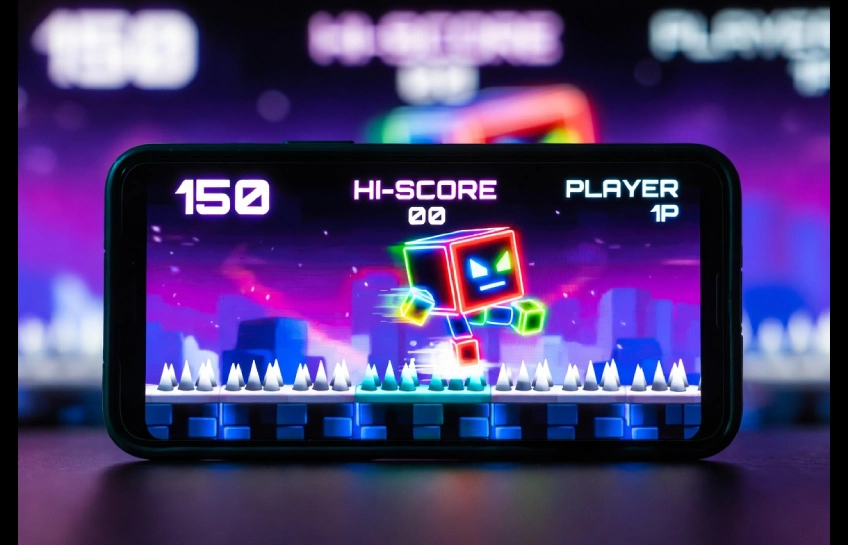
If you’ve been searching for the Geometry Dash 2.2 APK, you’re probably chasing one of two things: the new Platformer update, or a free way to unlock the full game. This article covers both — honestly. You’ll get the real feature breakdown, the actual risks of downloading APKs from random sites, and the fastest legit way to start playing today.
What Is Geometry Dash 2.2 APK?
Geometry Dash 2.2 APK is the Android installer file for version 2.2 of RobTop Games’ rhythm-platformer, Geometry Dash. It’s the same game you’d get from the Google Play Store, packaged as a standalone .apk file instead of installed through the store. Version 2.2, nicknamed “The Platformer Update,” is the biggest content drop in the game’s history, adding a new movement mode, hundreds of icons, and a rebuilt level editor.
Most searches for this term fall into two camps: people who want the update details, and people looking for a free, unlocked copy. We’ll walk through both, but the short version is this — Geometry Dash is a paid app on Android and iOS, and downloading a “full unlocked” APK from a third-party site usually means either pirated software or a modded file that isn’t supported by the developer.
What’s New in the 2.2 Update
The 2.2 update took years to arrive, and it reshapes how the game plays. Here’s what changed.
Platformer Mode
This is the headline feature. Instead of the classic auto-scrolling gameplay, Platformer Mode gives you full directional control — you can move left, right, and jump freely, similar to a traditional platformer. It opens up entirely new level design possibilities for the creator community.
Swing Mode
A new movement type joins the roster alongside Cube, Ship, Ball, UFO, Wave, Robot, and Spider. Swing mode changes how your character reacts to taps, adding another layer of timing challenge to already-tough levels.
New Icons, Sound Library & Editor Tools
Version 2.2 adds over 700 new icons and trail effects, a built-in sound effects library for level creators, and major upgrades to the level editor, including better triggers and smoother object placement. Community level design has never had more room to grow.
Is Geometry Dash 2.2 APK Safe to Download?
Short answer: the official version from Google Play or the Apple App Store is safe. APK files from unofficial third-party websites carry real risk, even when a site claims the file is “scanned” or “100% safe.”
Real Risks of Third-Party APKs
- Malware and spyware — modified APKs can be repackaged with hidden code that steals data or displays intrusive ads.
- No updates — sideloaded APKs usually don’t auto-update, so you’ll miss bug fixes and new content like future levels.
- Account and progress loss — modded versions often can’t sync with your official Geometry Dash account, so stars, icons, and completed levels may not carry over.
- Terms of Service violations — RobTop Games does not support modified or “hacked” APKs, and using one can put your account at risk if you later try to connect it online.
- No real refund or support path — if a pirated copy breaks your device or corrupts a save, there’s no customer support to fall back on.
How to Spot a Fake or Malicious APK
A few warning signs to check before installing anything outside an official app store:
- The file size doesn’t match the real game (Geometry Dash is roughly 150–160MB)
- The site asks you to disable your antivirus before installing
- There’s no developer name, privacy policy, or contact page on the site
- The APK is bundled inside a “downloader” or “installer” app instead of being a direct file
How to Get Geometry Dash 2.2 the Right Way
Here’s the fastest, safest path for each platform.
| Platform | Where to Get It | Price | Notes |
|---|---|---|---|
| Android | Google Play Store | ~$1.99 | Auto-updates, cloud sync, official support |
| iOS | Apple App Store | ~$1.99–$3.99 | Only reliable way to run it on iPhone/iPad |
| PC (Windows/Mac) | Steam | ~$3.99 | Higher resolution, keyboard/controller support |
| PC (via emulator) | BlueStacks or LDPlayer + Play Store login | Same as Android price | Useful if you want the mobile version on a bigger screen |
There is also a free Geometry Dash Lite version on Android and iOS with limited levels and ads, which is a legitimate way to try the game before buying.
Free Lite vs Full Version
| Feature | Lite (Free) | Full Version (Paid) |
|---|---|---|
| Official levels | Limited selection | All 21 levels |
| Level editor | Not included | Full access |
| User-created levels | No | Yes, millions available |
| Ads | Yes | No |
| Icons & unlockables | Basic | Full set, including 2.2’s 700+ new icons |
| Cloud save | No | Yes |
System Requirements
- Android: version 5.0 or higher, at least 1GB of free storage, 2GB RAM recommended
- iOS: iOS 12 or later, compatible with iPhone 6s and newer
- PC (Steam): Windows 7+ or macOS 10.11+, 2GB RAM, minimal GPU requirements — it runs on almost anything
5 Tips to Beat Hard Levels
- Use Practice Mode first. Deaths don’t count, so you can drill the hardest section without losing progress.
- Play with sound on. Geometry Dash is a rhythm game — jumps are timed to the music, not just the visuals.
- Break levels into chunks. Master the first 10%, then the next, instead of attempting a full run early.
- Customize your controls. Try spacebar vs. mouse click on PC, or adjust your thumb position on mobile, until taps feel natural.
- Take breaks when frustrated. Tilted play leads to sloppy taps. Short breaks improve consistency more than grinding does.
Frequently Asked Questions
Is Geometry Dash 2.2 APK free? The official game is paid (around $1.99–$3.99 depending on platform), with a free Lite version available. Free “full version” APKs found on third-party sites are typically pirated or modified and are not supported by the developer.
Can I install Geometry Dash 2.2 APK on iPhone? No. APK files are an Android format and won’t run on iOS. iPhone and iPad users should download the official app from the Apple App Store.
Will a modded Geometry Dash APK sync with my account? Usually not. Modded APKs are disconnected from RobTop’s official servers, so progress, stars, and unlocked content generally won’t transfer if you switch to the official version later.
What’s new in the 2.2 update? The biggest additions are Platformer Mode, Swing Mode, over 700 new icons, a sound effects library, and a rebuilt level editor.
Is it safe to download Geometry Dash APK files from random websites? Not reliably. Even sites that claim their files are “scanned” and safe can’t be verified the way an official app store can. Malware, missing updates, and account issues are common risks with third-party APKs.
Conclusion
Geometry Dash 2.2 brings the biggest gameplay shift the series has seen, with Platformer Mode and Swing Mode leading the charge. If you’re chasing the “geometry dash 2.2 apk,” the safest and most future-proof route is still the official Play Store, App Store, or Steam listing — you get updates, cloud sync, and a version that actually works with the growing community of new levels. Skip the modded files, and you’ll enjoy the update the way it was built to be played.

Other Articles


No Comment! Be the first one.