

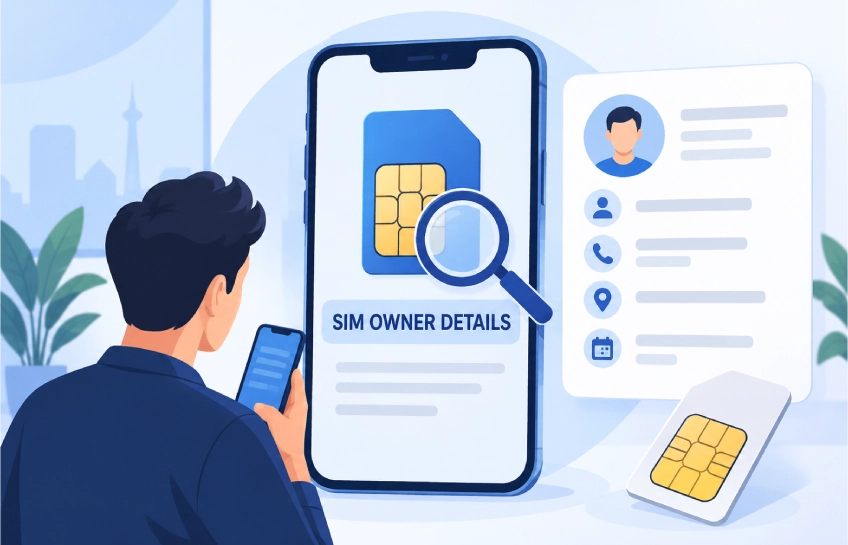
When people search for sim owner details, they usually want to know who a mobile number belongs to or how many SIM cards are linked to a CNIC. In Pakistan, the most useful and lawful reason to check SIM information is to review the mobile connections registered under one’s own identity.
This matters because an unknown SIM can create serious trouble. It may be used for scams, fake calls, unwanted subscriptions, or other activity that the CNIC holder doesn’t know about. A quick SIM check can help a person find out whether extra mobile connections are linked to their record.
However, there is an important difference between checking one’s own SIM registration and trying to get another person’s private information. A person’s name, CNIC number, address, call history, messages, and location are sensitive details. They should not be searched for, shared, or used without legal permission.
Pakistan has official systems that allow users to check the total number of SIMs registered against their own CNIC. These official options are much safer than random websites, apps, or social-media posts that claim they can reveal full SIM owner details by entering any phone number.
What Does “Sim Owner Details” Mean?
The phrase “sim owner details” can mean different things depending on what someone is trying to find. In simple terms, it refers to the registration information connected with a mobile SIM card.
A SIM card is registered to a person when they buy or activate a mobile connection through a telecom company. During registration, the company verifies the customer’s identity through official documents and, in many cases, biometric verification. The telecom company then records that mobile connection under the customer’s identity.
For most people, the safest meaning of sim owner details is:
- Checking how many SIMs are registered on their CNIC
- Checking which mobile networks have active SIMs against their identity
- Finding out whether an unknown SIM has been issued under their name
- Verifying that their own mobile connection is correctly registered
- Reporting a SIM that they did not authorize
It does not mean that anyone can legally search a public database and view another person’s full personal details. A phone number alone should not give strangers access to someone’s CNIC, home address, call records, or private account information.
SIM count check vs. private owner information
There is a major difference between a SIM count check and a personal-data lookup.
A SIM count check helps a CNIC holder see how many connections are registered under their own identity. This is a useful safety feature because it allows the person to notice unexpected mobile registrations.
Private owner information includes details such as:
- Full name
- CNIC number
- Residential address
- Call history
- SMS records
- Biometric data
- Bank or wallet information
- Real-time location
These details are private. Anyone dealing with harassment, fraud, threats, or suspicious calls should use official channels rather than trying to collect private information through unverified sites.
Why Checking SIM Registration Matters
SIM registration checks are important because mobile numbers are often used to verify identity. They can be connected with banking apps, social-media accounts, digital wallets, online shopping accounts, and login codes.
If an unknown SIM is registered against someone’s CNIC, it could create problems later. For example, a person may receive a warning from a telecom company, bank, or government department about activity linked to a number they have never used.
Regular checks help people stay aware of what is linked to their identity.
Common reasons to check registered SIMs
A person may want to review their SIM registration for several reasons:
- They have lost a phone or SIM card.
- They changed networks and forgot whether an old SIM is still active.
- They suspect their CNIC has been misused.
- They receive calls or messages about a number they do not recognize.
- They want to close unused mobile connections.
- They need to update their records after a SIM replacement.
- They want to protect their identity from misuse.
For example, someone may have used one network years ago, then switched to another company. If the old SIM was never closed, it may still appear under their CNIC. Checking the record helps them decide whether they need to visit a customer-service center and close it.
Official PTA SIM Information System
The Pakistan Telecommunication Authority, commonly called PTA, provides official ways for subscribers to check mobile connections registered under their own identity. The official SIM Information System is intended to show the total number of SIMs registered against a CNIC or Foreign ID. cnic.sims
This service is useful because it focuses on self-verification. A person enters their own CNIC details and receives information about SIMs connected with that identity. It is not designed to reveal another person’s private records.
PTA has also described its 668 SIM Information System as a way for mobile users to learn the total number of SIMs issued against their names through different mobile operators. pta.gov
What the official SIM system can help with
The official system can help users understand:
- The total number of SIMs registered against their CNIC
- Which mobile networks are associated with those SIMs
- Whether there is an unfamiliar mobile connection linked to their identity
- Whether they should contact a mobile operator for further help
The system is especially helpful for people who use more than one network. A person may have a Jazz number for calls, a Zong SIM for internet data, or an older Ufone or Telenor connection that is no longer in use.
What the official SIM system does not show
Users should keep their expectations realistic. Official self-service tools are not meant to display complete private records of every subscriber.
They generally do not provide:
- Someone else’s CNIC number
- Someone else’s address
- Call logs or SMS history
- WhatsApp chats or social-media accounts
- Mobile wallet details
- Live location information
- Biometric records
If a website claims it can provide all of these details for any number, people should be very careful. That claim may be misleading, unsafe, or connected with privacy violations.
How to Check SIMs Registered on Your CNIC
A person can use official PTA-supported options to check SIMs linked to their own CNIC. They should always use accurate information and avoid sharing their CNIC or verification codes with untrusted sources.
The online SIM Information System allows users to enter their CNIC and check the total number of SIMs registered against it. It also provides an option for foreign nationals using a Foreign ID. cnic.sims
Method 1: Check through the online SIM Information System
The online method is simple for people who have internet access.
- Visit the official SIM Information System portal.
- Enter the CNIC number without mistakes.
- Complete any verification requested by the portal.
- Submit the information.
- Review the total SIM count and network-wise results.
- Note any network that the person does not recognize.
The user should only enter their own CNIC. They should not test random CNIC numbers, borrowed identity documents, or details received in a message from someone else.
Method 2: Use the 668 SMS service
PTA has also identified 668 as a SIM Information System service for checking SIMs issued against a subscriber’s name. pta.gov
The exact response, charges, and process can change over time, so users should confirm the current method from official PTA or mobile-network sources before using it. In general, the purpose is to help subscribers check the SIM count associated with their own CNIC.
When using any SMS-based service, people should make sure they are sending information only to the official short code. Scammers sometimes use similar-looking numbers or messages to collect CNIC details, OTPs, or account codes.
Method 3: Visit the relevant mobile operator
If the online result shows an unknown SIM, the next step is usually to contact the relevant network operator. Pakistan’s main mobile operators include Jazz, Zong, Ufone, and Telenor.
The person should visit an authorized customer-service center or franchise with their original CNIC. The representative can review the issue, explain the available options, and guide the customer through the verification or closure process.
It is better to use an official service center than to rely on a shop that offers “instant SIM data” or “full owner information” without proper verification.
What to Do If You Find an Unknown SIM
Finding an unfamiliar SIM against a CNIC can feel worrying, but the person should act calmly and quickly. Ignoring it may allow the issue to continue.
First, the person should confirm that the number is truly unknown. Sometimes an old SIM, a family connection, or a previously used data SIM may still be active. If the person is sure they never authorized it, they should contact the relevant telecom operator.
Steps to take after finding an unknown SIM
- Take a screenshot or note the network name and SIM count.
- Visit the authorized customer-service center of the relevant operator.
- Carry the original CNIC for verification.
- Explain that an unfamiliar SIM appears against the CNIC.
- Ask the operator to investigate the registration.
- Request closure or blocking if the SIM is unauthorized.
- Keep any complaint number, service receipt, or written confirmation.
- Follow up if the issue is not resolved within the stated time.
If the person believes their identity has been used for fraud, threats, financial scams, or criminal activity, they should also consider reporting the matter through the appropriate official complaint channel. They should avoid confronting a suspected person directly, especially if the situation involves threats or harassment.
Sim Owner Details by Mobile Number: Privacy and Legal Limits
Many websites use phrases such as “SIM owner details by number,” “live SIM tracker,” or “CNIC details by mobile number.” These phrases may attract clicks, but they can create unrealistic expectations.
A person’s mobile registration information is private. Telecom providers, regulators, and law-enforcement authorities may handle certain subscriber information through lawful procedures, but that does not make it public information for anyone to search.
The safest approach is simple: a person can check their own SIM count and contact the operator if they find a problem. They should not depend on websites that claim to expose someone else’s personal data.
When someone needs help with a suspicious number
Sometimes a person has a genuine concern about a mobile number. They may be receiving scam calls, threats, harassment, or fake prize messages. In that situation, they should take practical steps instead of searching for personal details.
They can:
- Block the suspicious number on their phone.
- Save screenshots of messages or call logs.
- Avoid replying with personal information.
- Never share an OTP, PIN, CNIC scan, or bank information.
- Contact their mobile operator for support.
- Report serious fraud, threats, or harassment through official channels.
This approach protects the person without putting someone else’s private information at risk.
Common SIM Owner Details Scams and Unsafe Websites
Search results for sim owner details often include unofficial apps, websites, videos, and social-media posts. Some may look professional, but that does not mean they are reliable.
A risky website may ask for a mobile number and then claim it can reveal a name, CNIC, address, or family information. It may also ask users to download an APK file, sign in with a Google account, enter a CNIC, or pay a small “verification fee.”
These are warning signs.
Red flags to watch for
A person should leave the website or app if it:
- Promises full private information for any phone number.
- Asks for a CNIC image without a clear official reason.
- Requests an OTP from SMS, WhatsApp, banking, or email.
- Requires payment before showing “secret” subscriber records.
- Pushes users to install an APK from outside the Google Play Store.
- Has many spelling mistakes, pop-ups, redirects, or fake countdown timers.
- Uses threatening language such as “verify now or your SIM will be blocked.”
- Claims it can track a number’s live location instantly.
No legitimate SIM check should require a person to share bank codes, mobile-wallet PINs, email passwords, or biometric data through a random website.
SIM Registration, Biometric Verification, and CNIC Safety
Biometric verification is used in Pakistan’s mobile registration process to help confirm that a SIM is issued to the correct person. This is one reason why a person should always visit an authorized outlet when buying, replacing, or closing a SIM.
A person should also protect their CNIC details in daily life. A CNIC copy may be needed for valid services, but it should not be casually shared with unknown shops, websites, or callers.
Simple CNIC and SIM safety tips
- Keep CNIC copies private and share them only when necessary.
- Write the purpose and date on a CNIC photocopy when submitting it to a service provider, where appropriate.
- Do not share OTPs with anyone, even if they claim to be from a telecom company.
- Use official operator apps, websites, and service centers.
- Review SIM registrations from time to time.
- Report a lost SIM quickly.
- Close old or unused SIM cards.
- Ask for a receipt when completing an important SIM-related request.
- Use a screen lock and SIM PIN where available.
These habits can lower the chance of identity misuse and help the CNIC holder stay in control of their mobile connections.
Frequently Asked Questions
Can someone check SIMs registered on their CNIC online?
Yes. Pakistan’s official SIM Information System allows users to check the total number of SIMs registered against their CNIC or Foreign ID. cnic.sims
What does the PTA SIM Information System show?
It is intended to help subscribers see the total number of SIMs issued against their own identity, including network-wise information. PTA has described the 668 service as a way for users to learn the total number of SIMs issued against their names. pta.gov
Can someone check another person’s SIM owner details?
A person should not try to obtain another individual’s private SIM registration data without lawful authority or consent. Official self-service systems focus on checking SIMs connected with the user’s own identity.
What should someone do if an unknown SIM appears on their CNIC?
They should contact the relevant mobile operator through an authorized customer-service center, complete identity verification, and request investigation or closure of the unauthorized connection.
Are SIM owner details apps safe?
Some apps may be misleading or unsafe, especially if they promise a person’s CNIC, address, call records, or live location. Users should prefer official PTA and mobile-operator channels.
Can foreign nationals check registered SIMs?
The official SIM Information System includes an option for users with a Foreign ID. cnic.sims
Why should someone avoid sharing OTPs?
An OTP can be used to access or verify accounts. A telecom representative, bank employee, or government office should not ask for it through an unexpected call, message, or social-media chat.
Conclusion: Check Your SIM Information Safely
Searching for sim owner details is often about protecting one’s identity and checking mobile connections linked to a CNIC. The best approach is to use official PTA-supported channels, review the SIM count under one’s own identity, and contact the relevant operator if anything looks unfamiliar.
A person should stay away from websites and apps that promise private records for any mobile number. They can protect themselves by keeping their CNIC secure, refusing to share OTPs, closing unused SIMs, and reporting suspicious activity quickly.
For more practical guides, readers can explore related topics such as CNIC security, SIM replacement, online fraud prevention, mobile-wallet safety, and how to report suspicious calls.

Other Articles

GDTJ45 Builder Software: Real or Fake? (Full Breakdown)
Domikyo.com: What It Is, What It Covers, and Whether You Can Trust It

No Comment! Be the first one.